
Insights: resource recommendations
Use Insights for rightsizing: reduce compute waste and identify opportunities to reduce costs through CPU and memory request/limit recommendations from observed pod utilization. Review and apply changes explicitly. PRA and PRP provide separate automatic resource controls.
Enable monitoring
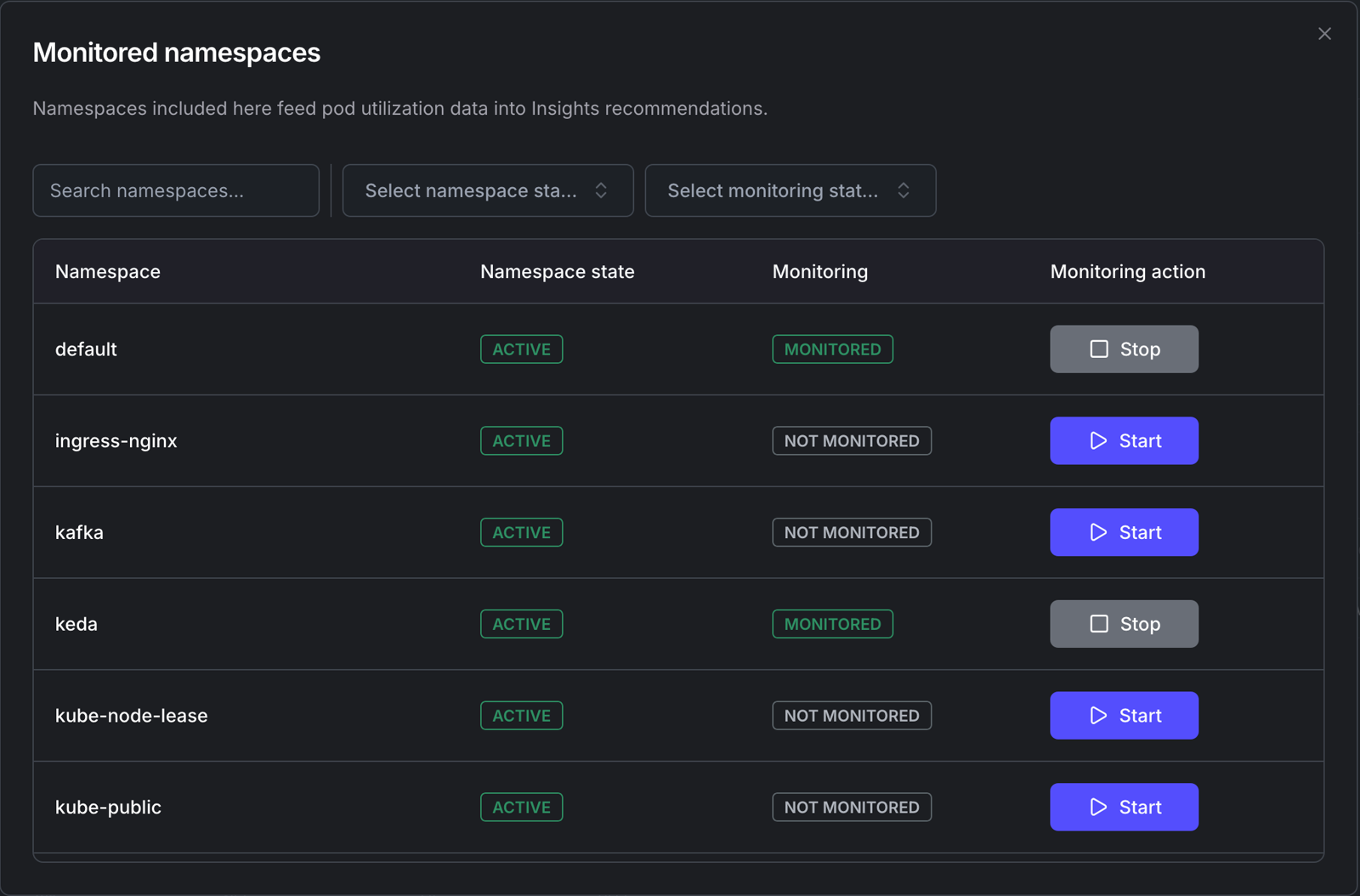
Section titled “Enable monitoring”Use a connected Agent with Insights support and a working Kubernetes Metrics API. Check versions and requirements. In the cluster Insights view, select Configure and choose namespaces, or opt in through your namespace configuration:
kubectl top pods -n <namespace> --containerskubectl label namespace <namespace> insights.kedify.io/scrape=true --overwriteWith label-gated collection, false, disabled and paused opt a namespace out; other label values opt it in. An explicit agent.metricsWatchNamespace list adds namespaces even if their label is disabled. Without label gating, an empty explicit list selects all namespaces. To stop collection for a namespace, remove it from the explicit list and restore or disable its label through the configuration owner. See Agent collection settings.
Recommendations require utilization history; check timestamps and the observation interval rather than expecting an immediate result. Stopping collection does not revert resource changes.
What Insights Shows
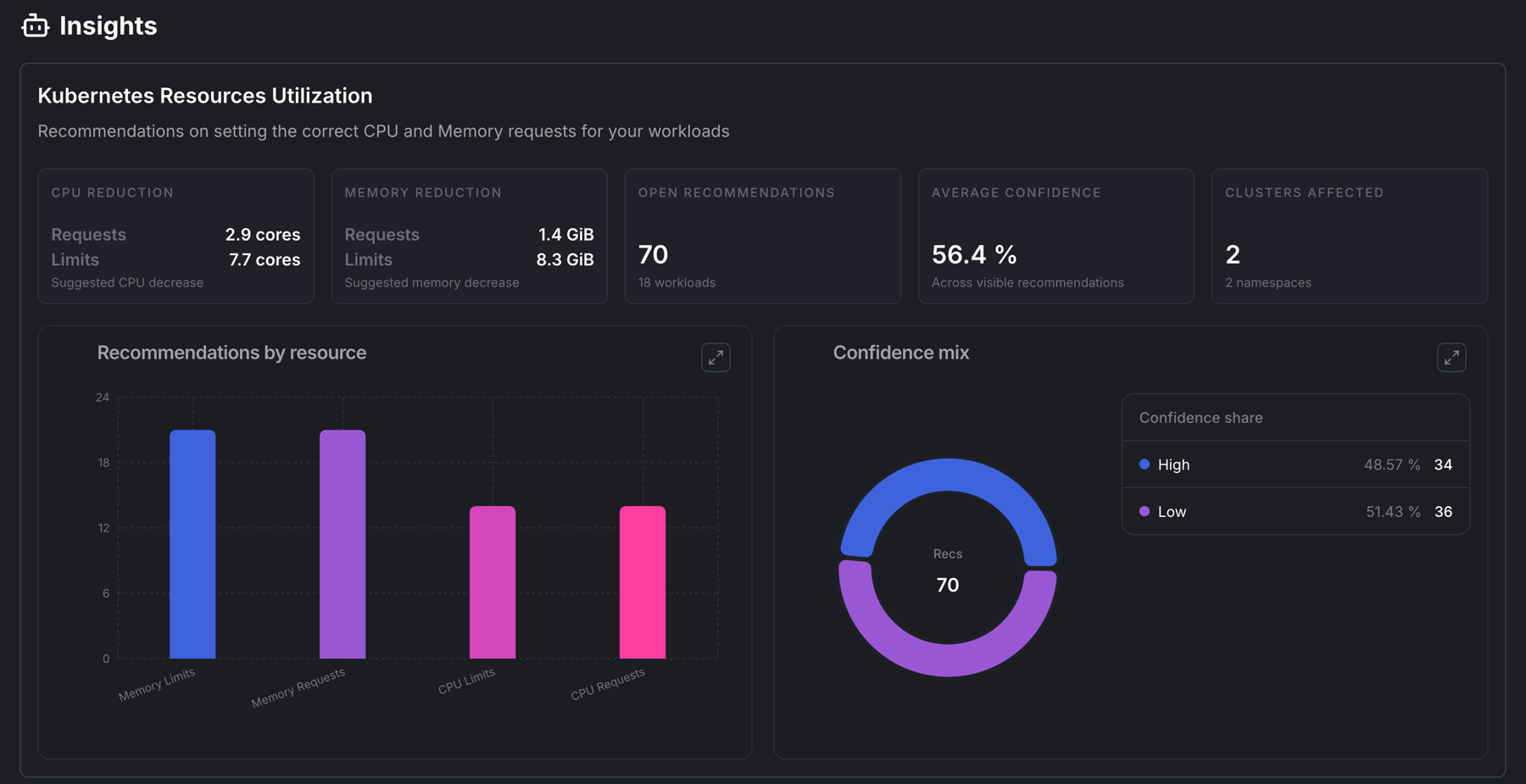
Section titled “What Insights Shows”The organization view summarizes recommendations across clusters. The cluster view filters by namespace and workload. Recommendations identify a workload, container and resource target.
Recommendation semantics
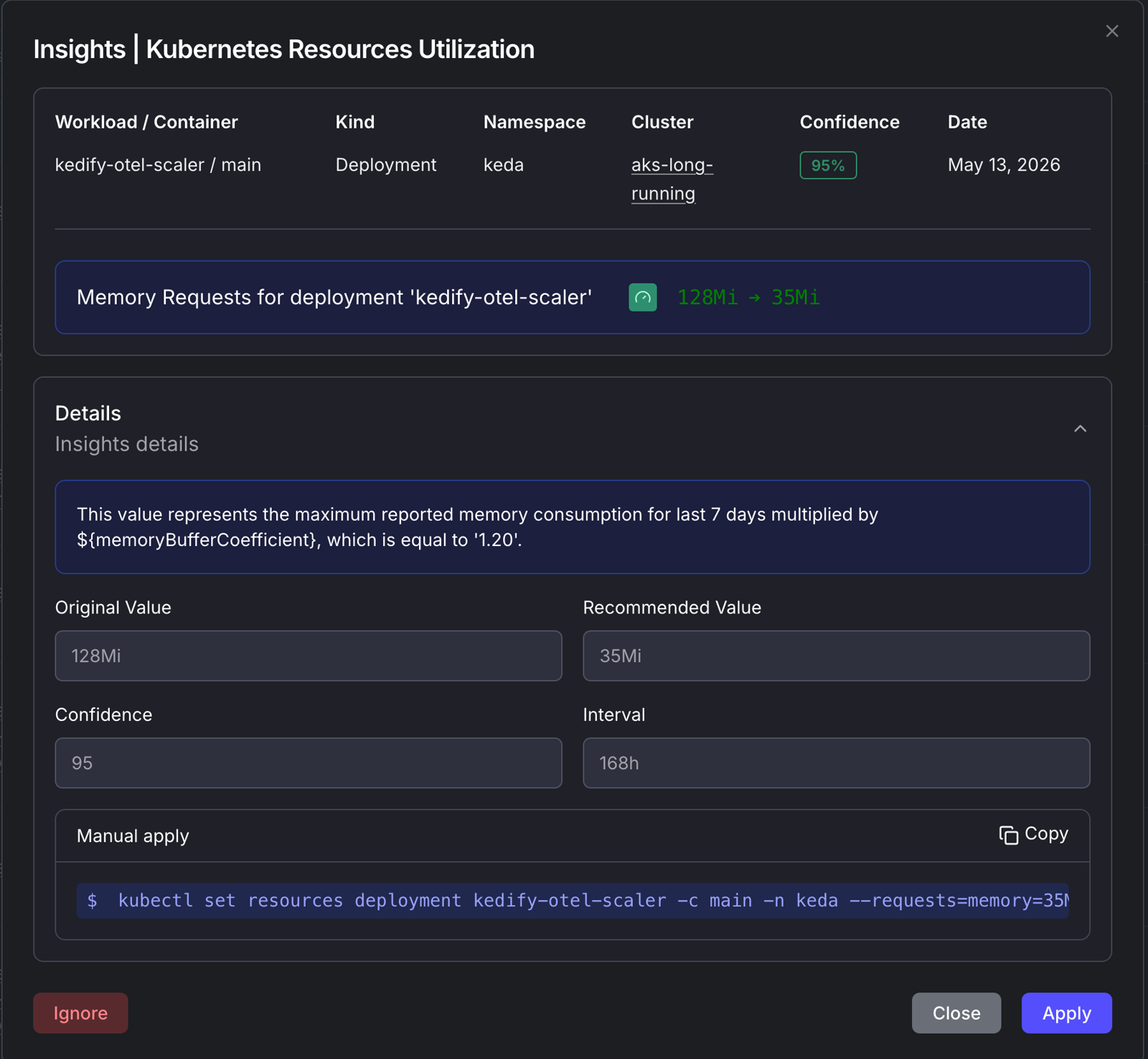
Section titled “Recommendation semantics”| Value | Check before applying |
|---|---|
| Cluster, namespace, workload and container | They match the intended target |
| Current and recommended requests/limits | Live values still match the recommendation; preserve CPU/memory units |
| Observation interval and date | History includes representative peaks, warmup and recent releases |
| Confidence | More observation history supports review; this is not a probability that a change is safe |
| Explanation and generated command | The change fits the workload’s latency, error, throttling and OOM limits |
Reviewing Recommendations
Section titled “Reviewing Recommendations”- Compare the recommendation with live configuration and the owning Helm/GitOps source.
- Check workload latency, errors, throttling, OOM events and peak demand.
- Apply through the owner. For source-managed workloads, use Helm or GitOps. Dashboard Apply updates supported workload resources, or Helm values for managed KEDA components. Ignore dismisses recommendations you do not intend to use.
- Validate the change and roll back if needed. Applied status alone does not demonstrate improved performance.
Exporting Recommendations
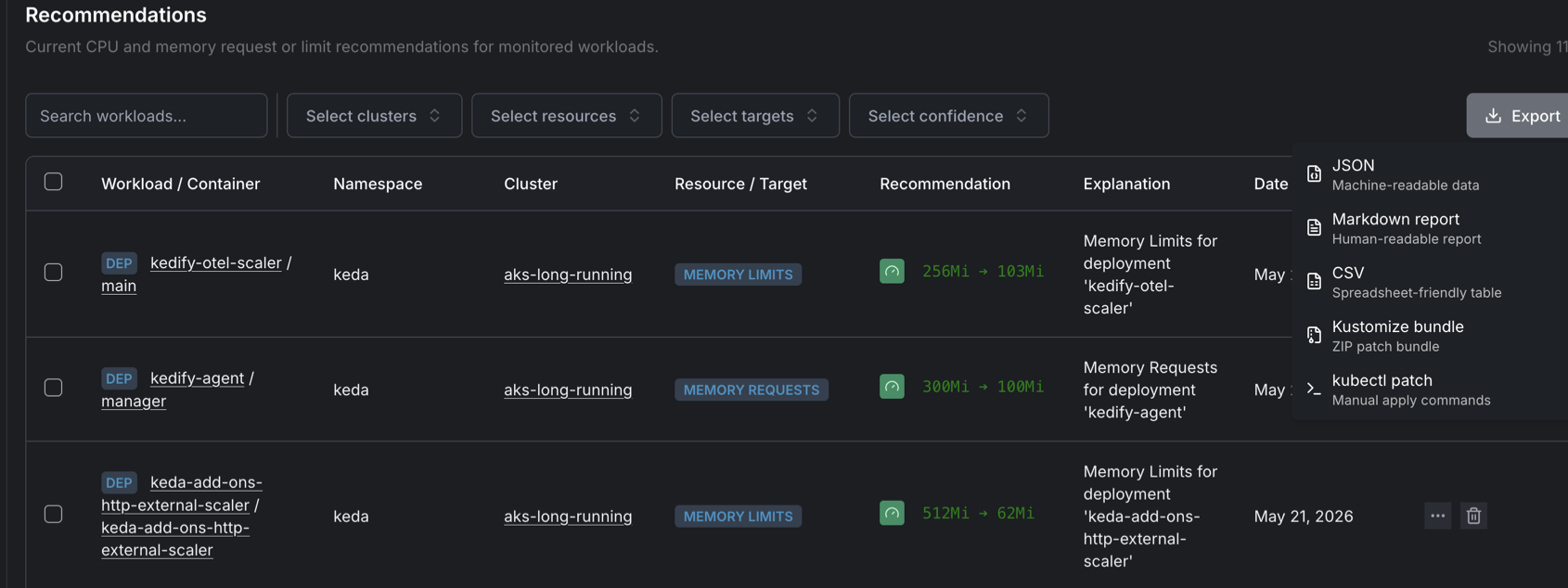
Section titled “Exporting Recommendations”Use Export for selected or filtered recommendations. Formats include JSON, Markdown, CSV, a Kustomize ZIP bundle and a kubectl script. Check target identities and inspect the generated changes before applying them.
Troubleshoot missing recommendations · Interpret FinOps estimates