
Prepare for predictable demand
| Requirement | Approach | Setup |
|---|---|---|
| Request replicas during a known time window | KEDA Cron trigger | Cron configuration and examples; select your installed KEDA version. |
| Change min/max replicas or other scaling fields during a window | ScalingPolicy | Scheduled configuration example. |
| Scale ahead of demand inferred from metric history | Predictive scaler | Enable Predictor, then forecast and scale a workload. |
If live metrics already provide enough notice, keep live-demand scaling. If pods wait for nodes, prepare node capacity as well.
Schedule boundaries and lead time
Section titled “Schedule boundaries and lead time”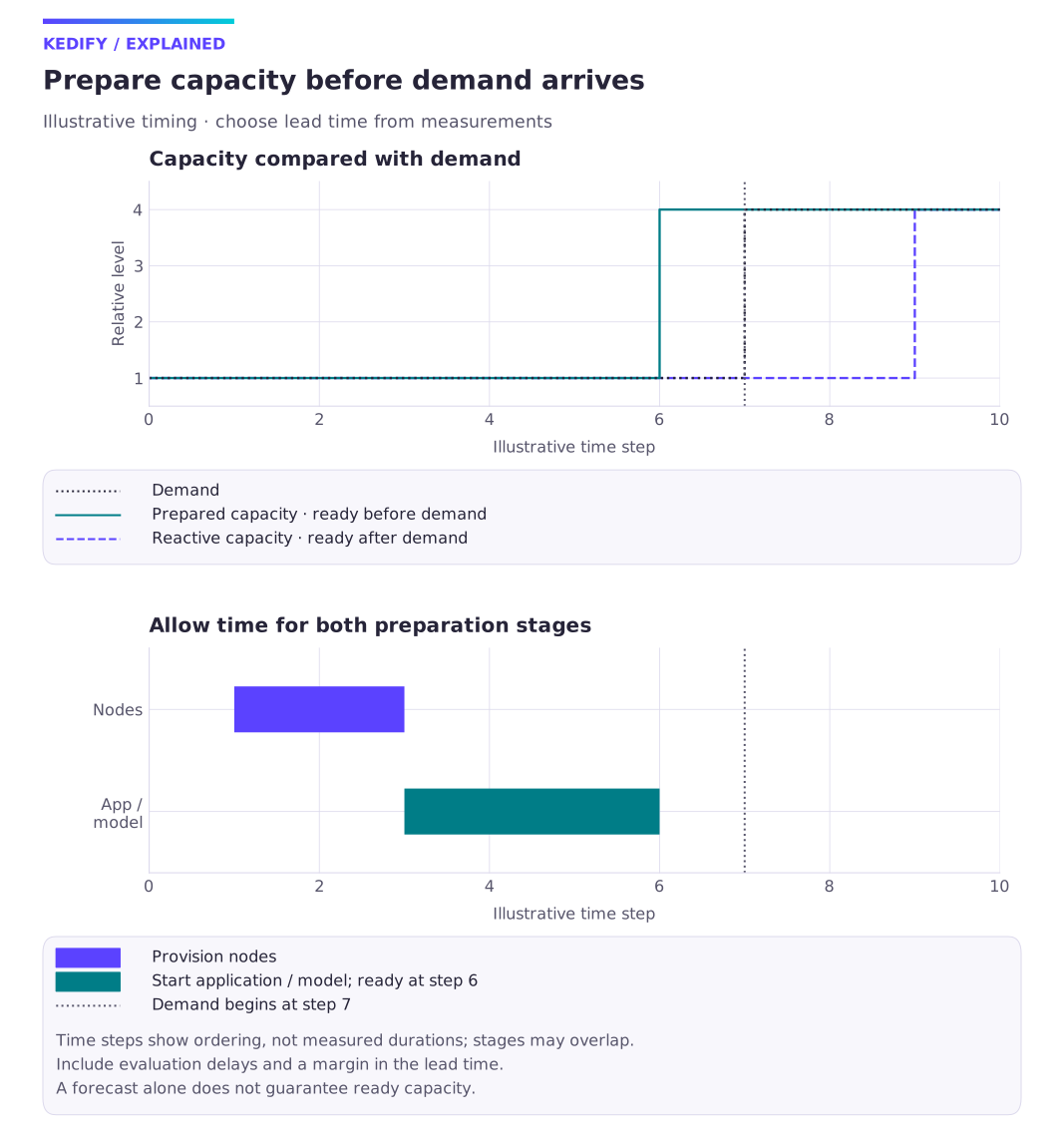
Diagram description
Illustrative demand increases after node provisioning and application startup. Prepared capacity is ready before demand, while reactive capacity arrives later. Use measured delays to choose the lead time.
- Set
timezoneexplicitly using an IANA zone, such asEurope/Prague, orUTCfor a fixed UTC schedule. Local zones change their UTC offset with daylight saving; transition hours can be skipped or repeated. Avoid placing critical boundaries in those hours and verify both transitions for the installed controller. - Start the window before demand by at least the measured node-provisioning and pod/model-startup time, allowing for scaling evaluation delays. A scheduled replica count does not mean those replicas are Ready.
- With the normal HPA metric combination, Cron’s
desiredReplicassupplies a floor during the window; another trigger can request more. KeepmaxReplicaCounthigh enough for both. - At Cron’s
end, other triggers andminReplicaCountstill apply. Reaching zero requiresminReplicaCount: 0and inactive zero-capable triggers; KEDA cooldown and HPA stabilization delay scale-in. Do not usedesiredReplicas: "0"as an off-hours schedule. - ScalingPolicy changes configuration fields. Use its verification and pause procedure to check the target fields and their restoration; do not infer replica readiness from policy activation.
Forecast lead time
Section titled “Forecast lead time”In the sample workload, compare predicted and observed demand using the same units and timestamps. Set the trigger’s horizon to cover measured startup time. Keep a live trigger, and test missing-model behavior before relying on prediction. Use model exploration to assess forecast quality and forecast diagnostics for ingestion or training failures.